
AI-Powered
Video Editing
Training
Product
Solutions
Help Article Generator
Help-center ready articles
AI Knowledge Base Generator
Generate content & structure
AI Video Documentation
Video + docs + localization
Video to Blog Post
Repurpose tutorial videos
SOP Template
Free template, or let AI write it
User Manual Generator
Manuals from screen recordings
Work Instructions
Visual steps from one recording
Integrations
Free Tools
Video Intro Maker
Animate your logo into an intro
Article to Video
Turn articles into MP4
Script to Voiceover
Turn text into AI audio
Transcript to Help Article
Clean docs from transcripts
Video Trimmer
Cut and trim video clips
Subtitle Creator
Generate captions from audio
Transcript Extractor
Get text from any video
Video Watermark
Add logo or text overlay
Video Cropper
Resize and crop frames
AI Video Reframer
Auto crop with subject tracking
Video to FAQ
Turn video into Q&A
Video to Help Article
Auto-generate help docs
Video to Quiz
Generate quizzes from videos
Subtitle Translator
Translate captions instantly
Background Music
Add royalty-free tracks
Thumbnail Generator
Create click-worthy thumbs
Description Generator
SEO-optimized descriptions
AI Video Trimmer
Smart cuts, auto highlights
Video Merger
Combine multiple clips
Before & After Video
Side-by-side comparisons
Coming Next Video
PiP teaser into next clip
Video Rotator
Flip or rotate footage
Speed Changer
Speed up or slow down
Format Converter
Convert between formats
Video Compressor
Shrink file size, keep quality
Video to GIF
Turn clips into animated GIFs
Video Fade In/Out
Smooth intro and outro
Video Summary
AI-powered key takeaways
Video FAQ Generator
Extract FAQs from video
Video Report Generator
Custom report from any video
Image Annotator
Mark up screenshots
Video Annotator
Shapes, arrows & text on video
Audio Extractor
Extract audio from video
Audio Cleanup
Remove noise, level volume
Audio File Cleanup
Clean up an MP3 or WAV
Subtitle Burner
Burn captions into video
PDF to Video
Convert PDF to video
PowerPoint to Video
Convert PPT & PPTX to video
Keynote to Video
Convert Keynote to video
Presentation to Video
PDF, PPTX, or Keynote
Google Slides to Video
Turn Google Slides into video
Video Lighting
Brightness, contrast & more
Accurate subtitles. Any language. Zero effort.
Upload your video, get perfectly timed subtitles in seconds. Edit, translate to 70+ languages, export as SRT or burn into video.
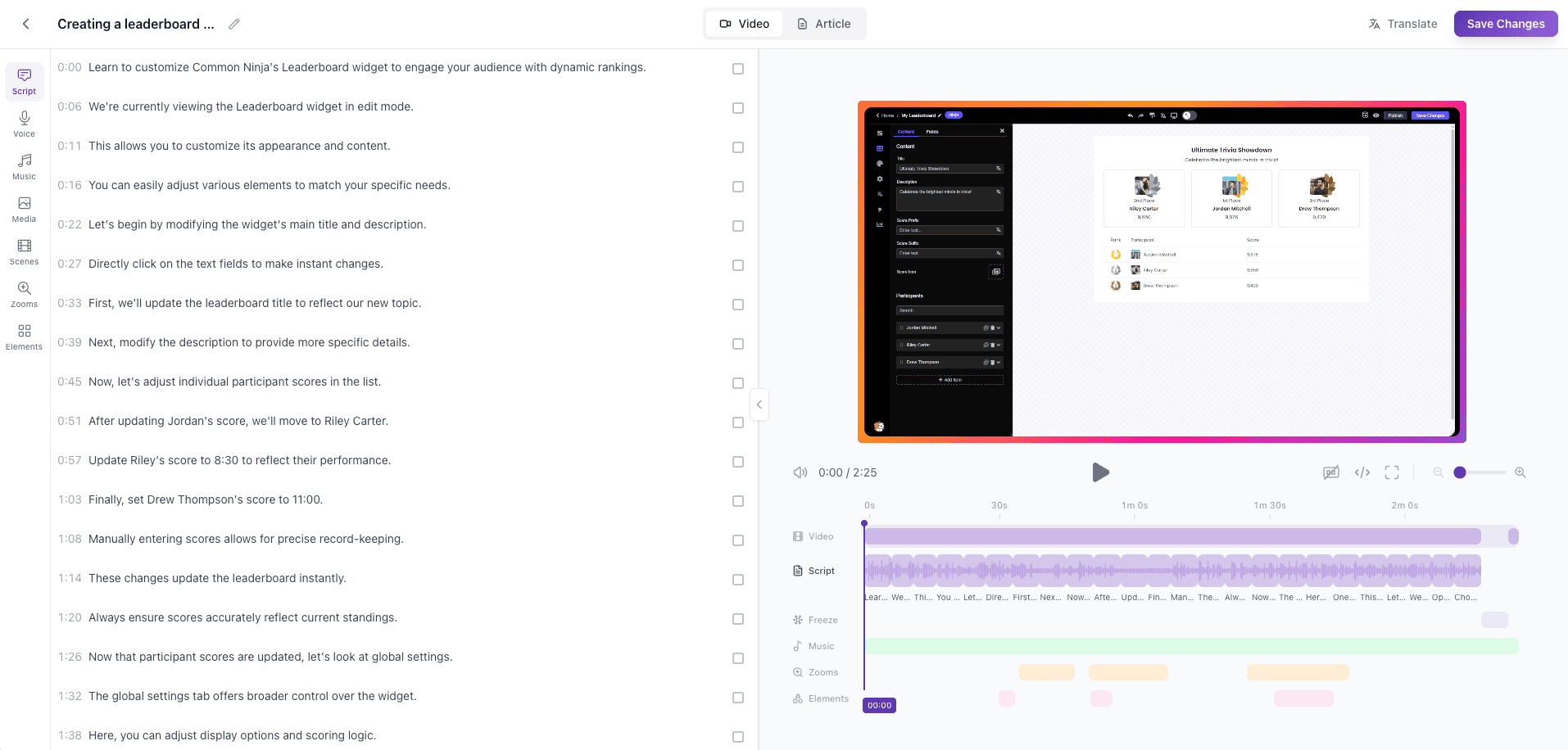
How It Works
Upload your video
Drag and drop any video file. We support all major formats.
AI generates subtitles
Our AI transcribes your video with precise timing and punctuation.
Edit & translate
Fine-tune in the built-in editor. Translate to any of 70+ languages with one click.
Export or burn-in
Download as SRT/VTT or export with subtitles burned directly into the video.
Upload your video
Drag and drop any video file. We support all major formats.
AI generates subtitles
Our AI transcribes your video with precise timing and punctuation.
Edit & translate
Fine-tune in the built-in editor. Translate to any of 70+ languages with one click.
Export or burn-in
Download as SRT/VTT or export with subtitles burned directly into the video.
Key Capabilities
Multi-language support
Generate subtitles in 70+ languages or translate existing ones instantly.
Built-in subtitle editor
Edit text, adjust timing, fix any errors right in the browser.
Custom styling
Choose font, color, size, and position. Match your brand.
SRT/VTT export
Download subtitle files in industry-standard formats.
Burn-in export
Export video with subtitles permanently embedded.
Fast cloud processing
AI processes your video in the cloud. No local resources needed.
Who It's For
Product teams
Make tutorials accessible with accurate, multi-language subtitles that your global user base can understand.
Support teams
Add captions to help videos so customers can follow along in any environment — with or without sound.
Content creators
Grow your audience across languages. Subtitles boost engagement, accessibility, and SEO.
How Vidocu Compares
| Feature | Vidocu | Manual Subtitling |
|---|---|---|
Time to subtitle a 10-min video | Under 2 minutes | 2-4 hours |
Languages supported | 70+ | 1 (per person) |
Auto-sync timing | ||
Built-in editor | ||
SRT + burn-in export | SRT only | |
Translation included |
Frequently Asked Questions
Our AI achieves 95%+ accuracy on clear audio. You can fine-tune any line in the built-in editor.
We support MP4, MOV, AVI, WebM, MKV, and most common video formats.
Yes. The built-in subtitle editor lets you edit text, adjust timing, change styling, and translate — all in the browser.
Over 70 languages for both transcription and translation, including English, Spanish, French, German, Japanese, Chinese, and more.
Most videos are processed in under 2 minutes, regardless of length. Processing happens in the cloud.
Yes. Export as SRT or VTT, or burn subtitles directly into the video for a single-file export.
Stop typing subtitles by hand
Upload a video and get subtitles in seconds. Free to start.
Your knowledge is valuable. Make it usable.
Upload once. Use everywhere.
The AI Knowledge Platform. One upload becomes videos, SOPs, guides, articles, and training - in any language.
© 2026 Vidocu. All rights reserved.