
AI-Powered
Video Editing
Training
Developer
Product
Solutions
Integrations
Free Tools
Article to Video
Turn articles into MP4
Script to Voiceover
Turn text into AI audio
Transcript to Help Article
Clean docs from transcripts
Video Trimmer
Cut and trim video clips
Subtitle Creator
Generate captions from audio
Transcript Extractor
Get text from any video
Video Watermark
Add logo or text overlay
Video Cropper
Resize and crop frames
AI Video Reframer
Auto crop with subject tracking
Video to FAQ
Turn video into Q&A
Video to Help Article
Auto-generate help docs
Video to Quiz
Generate quizzes from videos
Subtitle Translator
Translate captions instantly
Background Music
Add royalty-free tracks
Thumbnail Generator
Create click-worthy thumbs
Description Generator
SEO-optimized descriptions
AI Video Trimmer
Smart cuts, auto highlights
Video Merger
Combine multiple clips
Before & After Video
Side-by-side comparisons
Coming Next Video
PiP teaser into next clip
Video Rotator
Flip or rotate footage
Speed Changer
Speed up or slow down
Format Converter
Convert between formats
Video Compressor
Shrink file size, keep quality
Video to GIF
Turn clips into animated GIFs
Video Fade In/Out
Smooth intro and outro
Video Summary
AI-powered key takeaways
Video FAQ Generator
Extract FAQs from video
Video Report Generator
Custom report from any video
Image Annotator
Mark up screenshots
Video Annotator
Shapes, arrows & text on video
Audio Extractor
Extract audio from video
Audio Cleanup
Remove noise, level volume
Audio File Cleanup
Clean up an MP3 or WAV
Subtitle Burner
Burn captions into video
PDF to Video
Convert PDF to video
PowerPoint to Video
Convert PPT & PPTX to video
Keynote to Video
Convert Keynote to video
Presentation to Video
PDF, PPTX, or Keynote
Google Slides to Video
Turn Google Slides into video
Video Lighting
Brightness, contrast & more
Turn Loom videos into professional documentation
One upload. Everything generated. Transform your async Loom recordings into subtitles, voiceover, and documentation-ready help articles in minutes.

The problem: Loom is great for recording, but then what?
You recorded a perfect product walkthrough or async update. Now you need to turn it into searchable documentation.
Looms aren't searchable
Video content is locked inside the recording. Team members can't quickly find answers without watching the entire video.
Docs need to be written separately
After recording, you still have to write a help article, capture screenshots, and format everything for your knowledge base.
No easy way to translate
Global teams need subtitles and docs in multiple languages. Manual translation is expensive and time-consuming.
Upload your Loom → Get subtitles + voiceover + help article + screenshots
Vidocu transforms your Loom recordings into everything you need for professional documentation. No manual work, no waiting.

Multi-language subtitles
Automatically generated subtitles in 70+ languages. Make your Loom videos accessible and searchable.

Natural AI voiceover
Professional voiceover in any language. Perfect for polishing async Loom updates or creating translated versions.

Step-by-step help article
SEO-optimized documentation with headings, numbered steps, and clear instructions. Ready to publish to your help center.

Auto screenshots + annotations
Key moments from your Loom automatically captured with helpful annotations. No manual screenshot work.
How to convert Loom to documentation
Download from Loom
Open your Loom video and click File > Download to get the MP4 file.
Upload to Vidocu
Drop your Loom video into Vidocu. We handle all common video formats.
Vidocu generates everything
Subtitles, voiceover, help article, and screenshots in minutes.
Publish anywhere
Export to YouTube, help centers, knowledge bases, or training libraries.
Perfect for async-first teams
Product walkthroughs → Help center articles
Turn quick Loom feature demos into searchable documentation. Your support team and customers can find answers without watching videos.
Related: Learn more about video to documentation and our help article generator.
Async updates → SOPs and training docs
Record once, document forever. Transform team Looms into standardized procedures that new hires can follow step by step.
Related: Check out video to SOP for creating standardized procedures.
Sales demos → Customer onboarding guides
Repurpose sales Looms into customer success documentation. Generate localized guides in 70+ languages for global customers.
Tips for better Loom-to-docs results
Get the most out of Vidocu by following these Loom recording best practices.
Speak clearly and pause between steps
Vidocu's AI works best when you articulate each step clearly. Brief pauses help identify distinct actions.
Use Loom's drawing tools sparingly
On-screen annotations can help, but Vidocu will add its own smart annotations to screenshots automatically.
Record at 1080p for best screenshots
Higher resolution means sharper auto-captured screenshots in your documentation.
Download as MP4 (default)
Loom's default MP4 export works perfectly with Vidocu. No special settings needed.
What you get from your Loom video
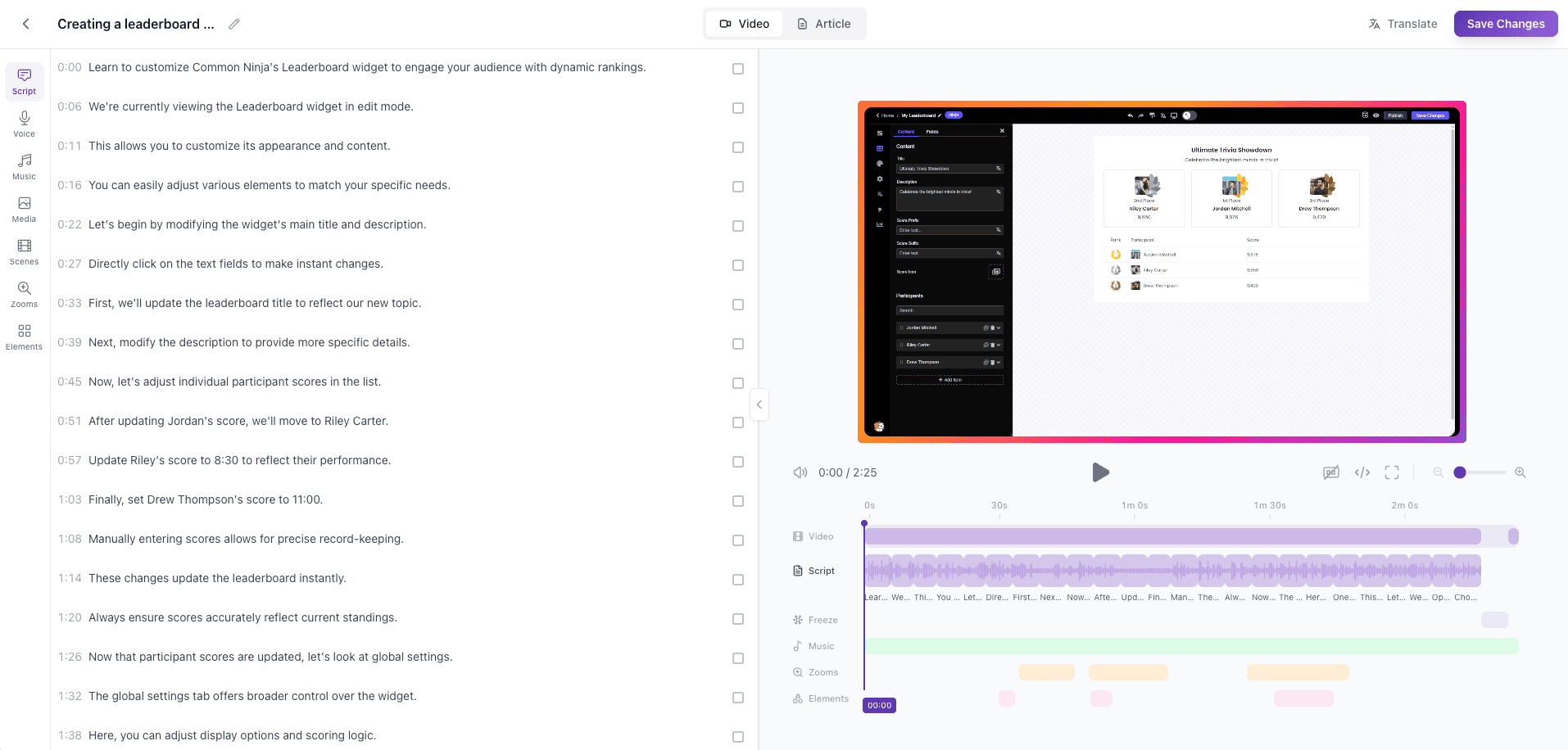
See examples of the documentation, subtitles, and screenshots Vidocu generates from your Loom recordings.
Frequently asked questions
Simply download your Loom video and upload it to Vidocu. We'll automatically generate subtitles, a step-by-step help article with screenshots, and optional AI voiceover. No official Loom integration needed—just export and upload.
From a single Loom video upload, Vidocu generates: multi-language subtitles, natural AI voiceover, a step-by-step help article with headings and numbered steps, auto-captured screenshots with annotations, and all outputs are ready to publish to help centers, knowledge bases, or YouTube.
Yes! Vidocu includes built-in editors for subtitles, voiceover, and the help article. You can refine the content, adjust screenshots, add annotations, and customize everything before publishing.
Vidocu works with any video file you upload, including Loom recordings. Simply download your Loom video (File > Download) and upload it to Vidocu. The workflow is seamless and takes just a few clicks.
Vidocu supports all common video formats including MP4, WebM, MOV, and more. Loom videos download as MP4 files, which work perfectly with Vidocu.
Vidocu supports 70+ languages for subtitles, voiceover, and localized documentation. You can generate all outputs in multiple languages from a single video upload.
Yes, Vidocu generates documentation in standard formats that you can copy and paste into your help center, knowledge base, or documentation platform. Export formats are designed to be compatible with popular platforms.
Yes! Sign up to start transforming your Loom videos into professional documentation.
Ready to turn your Looms into documentation?
Try Vidocu for free and see the difference.
Your knowledge is valuable. Make it usable.
Upload once. Use everywhere.
The AI Knowledge Platform. One upload becomes videos, SOPs, guides, articles, and training - in any language.
© 2026 Vidocu. All rights reserved.