
AI-Powered
Video Editing
Training
Product
Solutions
Help Article Generator
Help-center ready articles
AI Knowledge Base Generator
Generate content & structure
AI Video Documentation
Video + docs + localization
Video to Blog Post
Repurpose tutorial videos
SOP Template
Free template, or let AI write it
User Manual Generator
Manuals from screen recordings
Work Instructions
Visual steps from one recording
Assembly Videos
PDF manuals to 3D videos
Integrations
Free Tools
Video Intro Maker
Animate your logo into an intro
Article to Video
Turn articles into MP4
Script to Voiceover
Turn text into AI audio
Transcript to Help Article
Clean docs from transcripts
Video Trimmer
Cut and trim video clips
Subtitle Creator
Generate captions from audio
Transcript Extractor
Get text from any video
Video Watermark
Add logo or text overlay
Video Cropper
Resize and crop frames
AI Video Reframer
Auto crop with subject tracking
Video to FAQ
Turn video into Q&A
Video to Help Article
Auto-generate help docs
Video to Quiz
Generate quizzes from videos
Subtitle Translator
Translate captions instantly
Background Music
Add royalty-free tracks
Thumbnail Generator
Create click-worthy thumbs
Description Generator
SEO-optimized descriptions
AI Video Trimmer
Smart cuts, auto highlights
Video Merger
Combine multiple clips
Before & After Video
Side-by-side comparisons
Coming Next Video
PiP teaser into next clip
Video Rotator
Flip or rotate footage
Speed Changer
Speed up or slow down
Format Converter
Convert between formats
Video Compressor
Shrink file size, keep quality
Video to GIF
Turn clips into animated GIFs
Video Fade In/Out
Smooth intro and outro
Video Summary
AI-powered key takeaways
Video FAQ Generator
Extract FAQs from video
Video Report Generator
Custom report from any video
Image Annotator
Mark up screenshots
Video Annotator
Shapes, arrows & text on video
Audio Extractor
Extract audio from video
Audio Cleanup
Remove noise, level volume
Audio File Cleanup
Clean up an MP3 or WAV
Subtitle Burner
Burn captions into video
PDF to Video
Convert PDF to video
PowerPoint to Video
Convert PPT & PPTX to video
Keynote to Video
Convert Keynote to video
Presentation to Video
PDF, PPTX, or Keynote
Google Slides to Video
Turn Google Slides into video
Video Lighting
Brightness, contrast & more
Turn Instruction Manuals into Step-by-Step 3D Videos
Upload your illustrated PDF. Vidocu transforms your instructions into a 3D animated video with visual guidance, clear explanations, and voiceover for each step.
No filming. No recreating your instructions from scratch.
Upload a PDF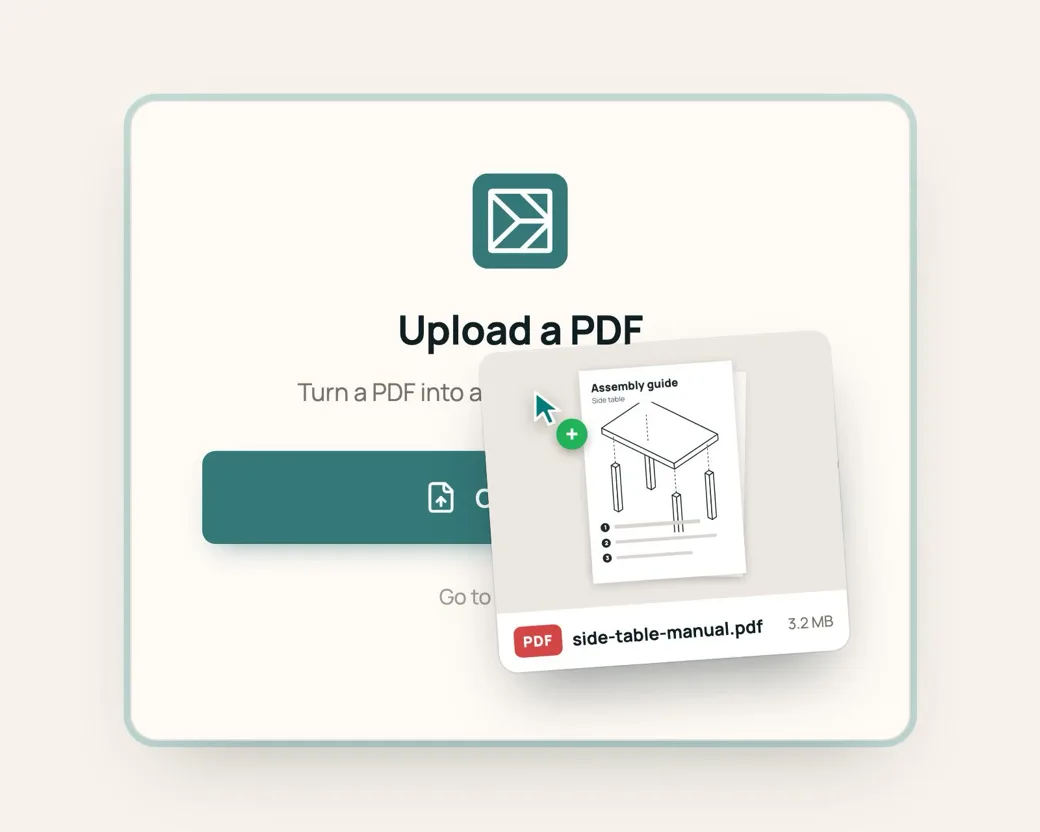
- Start with the assembly PDF you already have
- Turn illustrated steps into clear motion
- Add explanations and professional voiceover automatically
From assembly instructions to a finished video
- 01
Upload your assembly PDF
Start with the illustrated instructions you already provide with your product.
- 02
Vidocu understands the assembly process
Vidocu analyzes the manual, identifies the sequence of steps, the relevant parts, and the actions shown in the illustrations.
- 03
Generate the assembly video
Vidocu turns the instructions into a professionally paced video with motion, animation, visual emphasis, explanations, and voiceover.




Full control over every step of the video
Vidocu generates the first version for you. Open it in the editor to fine-tune the result, from zooms and highlights to camera angles, scenes, script, and voice, until every step looks exactly right.
Show customers what happens between the steps
Turn static diagrams into motion
Assembly manuals show the state of the product at different stages. Vidocu adds motion between those stages so customers can see how parts move, connect, rotate, slide, or fit into place.

Make product assembly easier for your customers
Turn furniture manuals into guided assembly videos
Show customers how panels, hardware, drawers, doors, and other components come together.
Explain multi-step assembly more clearly
Turn illustrated instructions for storage products, outdoor furniture, sheds, and other home products into visual guides.
Give customers a clearer setup experience
Create video instructions for products that require assembly, installation, or configuration after purchase.
Reduce confusion around difficult assembly steps
Give customers a visual explanation when a diagram alone is not enough.
Your assembly manual becomes the source
You do not need to arrange a video shoot or film someone assembling the product.
Start with the illustrated PDF your company already produces. Vidocu uses the existing instructions as the source for the video, turning the diagrams and assembly sequence into a new format customers can follow more easily.
The best source manuals include
PDF- Clearly separated assembly steps
- Illustrated product parts
- Hardware and component references
- Arrows or other movement indicators
- A consistent visual style
- A clear sequence from start to finish
Show the action instead of leaving customers to interpret it
Some assembly steps are simple in a static diagram. Others require the customer to understand what changes between two images. A motion assembly video can show:
- 01Which part moves
- 02Which direction it should face
- 03Where a component should be positioned
- 04How two parts connect
- 05What rotates, slides, folds, or locks into place
- 06Where hardware should be inserted
- 07What the product should look like before moving to the next step
This turns the assembly instructions into something closer to a demonstration.
The goal is to explain the assembly, not present the pages
A standard PDF-to-video tool can display pages one after another. That does not solve the main problem with assembly instructions.
Vidocu uses the information in the manual to create a visual sequence around the assembly itself, with motion, focus, explanations, and narration.

The result is designed to feel like an assembly video, not a presentation of the original PDF.
Bring static assembly instructions to life
Your assembly PDF already contains the parts, diagrams, and sequence. Vidocu turns those instructions into a professional video that helps customers see how the product comes together, step by step.
See an exampleFrom your existing assembly PDF
- Illustrated assembly steps
- Parts and hardware
- Connection points
- Arrows and directions
- Assembly sequence
To a professional assembly video
- Animated assembly steps
- Parts highlighted at the right moment
- Movement and connections shown clearly
- On-screen explanations
- Professional voiceover
- Smooth transitions from one step to the next
One assembly video. Multiple places to help your customers.
Use the finished video wherever customers may need help understanding the product.
- Product pages
- Help centers
- Support articles
- YouTube
- Post-purchase emails
- Digital manuals
- QR codes on packaging
- Customer support conversations
The same assembly video can support customers before purchase, during assembly, and whenever they need help later.
See what your existing instructions can become
Send us an illustrated assembly PDF. We will show you how Vidocu can turn the static instructions into a professional motion assembly video with animation, explanations, and voiceover.

Questions about PDF to motion assembly video
What kind of PDF works best?
Illustrated assembly manuals with a clear sequence of steps, product parts, diagrams, arrows, and connection points are the best fit.
Does Vidocu just turn the PDF pages into a video?
No. The goal is not to create a slideshow of the PDF. Vidocu uses the assembly instructions as the source for a video that adds motion, visual emphasis, explanations, and voiceover to the assembly process.
Do I need to film someone assembling the product?
No. The assembly instructions are the source material, so a separate filming workflow is not required.
What happens to the illustrations in the PDF?
The existing illustrations are used as the visual foundation for the video. Vidocu turns the static assembly sequence into scenes that help show how the product comes together.
Can Vidocu animate individual parts?
Yes. The video can use motion to show components moving, connecting, rotating, sliding, or being placed into position.
Can the video include voiceover?
Yes. Vidocu can add narration that explains the steps while the assembly process is shown visually.
Can the video include text and visual explanations?
Yes. On-screen explanations, highlights, and other visual cues can be added to make individual steps easier to understand.
What kinds of products is this suitable for?
It is especially useful for products that come with illustrated assembly instructions, including furniture, storage products, shelving, home and garden products, fixtures, and other products customers assemble themselves.
How is this different from a regular PDF-to-video tool?
A regular PDF-to-video tool typically turns pages into slides. Vidocu focuses on the assembly process itself, using the instructions to create motion, visual guidance, explanations, and narration around each step.
Do we need to change our existing assembly manual?
Not necessarily. The purpose is to start with the illustrated instructions you already produce and turn them into an additional format for customers.
Your PDF already explains how the product goes together. Turn it into a video that shows it.
Create a professional motion assembly video from your existing instructions, with animation, visual guidance, explanations, and voiceover.
Contact usYour knowledge is valuable. Make it usable.
Upload once. Use everywhere.
The AI Knowledge Platform. One upload becomes videos, SOPs, guides, articles, and training - in any language.
© 2026 Vidocu. All rights reserved.