
AI-Powered
Video Editing
Training
Developer
Product
Solutions
Integrations
Free Tools
Article to Video
Turn articles into MP4
Script to Voiceover
Turn text into AI audio
Transcript to Help Article
Clean docs from transcripts
Video Trimmer
Cut and trim video clips
Subtitle Creator
Generate captions from audio
Transcript Extractor
Get text from any video
Video Watermark
Add logo or text overlay
Video Cropper
Resize and crop frames
AI Video Reframer
Auto crop with subject tracking
Video to FAQ
Turn video into Q&A
Video to Help Article
Auto-generate help docs
Video to Quiz
Generate quizzes from videos
Subtitle Translator
Translate captions instantly
Background Music
Add royalty-free tracks
Thumbnail Generator
Create click-worthy thumbs
Description Generator
SEO-optimized descriptions
AI Video Trimmer
Smart cuts, auto highlights
Video Merger
Combine multiple clips
Before & After Video
Side-by-side comparisons
Coming Next Video
PiP teaser into next clip
Video Rotator
Flip or rotate footage
Speed Changer
Speed up or slow down
Format Converter
Convert between formats
Video Compressor
Shrink file size, keep quality
Video to GIF
Turn clips into animated GIFs
Video Fade In/Out
Smooth intro and outro
Video Summary
AI-powered key takeaways
Video FAQ Generator
Extract FAQs from video
Video Report Generator
Custom report from any video
Image Annotator
Mark up screenshots
Video Annotator
Shapes, arrows & text on video
Audio Extractor
Extract audio from video
Audio Cleanup
Remove noise, level volume
Audio File Cleanup
Clean up an MP3 or WAV
Subtitle Burner
Burn captions into video
PDF to Video
Convert PDF to video
PowerPoint to Video
Convert PPT & PPTX to video
Keynote to Video
Convert Keynote to video
Presentation to Video
PDF, PPTX, or Keynote
Google Slides to Video
Turn Google Slides into video
Video Lighting
Brightness, contrast & more
Turn webinar recordings into searchable knowledge base
Upload your Zoom or webinar recording → get structured help articles with screenshots. Perfect for training teams and support documentation.

The problem: webinar knowledge gets lost
Recordings sit unwatched
Most people won't rewatch a 60-minute recording to find one answer. Valuable knowledge stays locked in video files that no one searches.
Manual transcription is tedious
Turning a webinar into documentation means watching, pausing, writing, capturing screenshots. It takes hours per recording.
Not searchable or discoverable
Video content isn't indexed by your help center search. Users can't find answers, so they create support tickets instead.
Convert webinars into searchable help articles
Vidocu extracts knowledge from your webinar recordings and transforms it into structured, searchable documentation your team can actually use.
What you get from one webinar
Structured help articles with headings and steps
Screenshots captured at key moments
Searchable content optimized for discovery
Multiple articles from different topics covered
Export formats for any knowledge base platform
Full editing control before publishing
Works with any platform
Zoom, Microsoft Teams, Google Meet, Webex, or any recorded webinar. Just download the recording and upload to Vidocu.
Smart topic detection
AI identifies different topics within the webinar and organizes content into separate, focused articles for better searchability.
How it works
Upload webinar recording
Download from Zoom, Teams, or your webinar platform and upload to Vidocu.
AI analyzes content
Vidocu identifies topics, extracts key information, and captures screenshots.
Edit and refine
Review generated articles, adjust content, and customize before publishing.
Export to knowledge base
Publish to your help center, knowledge base, or documentation platform.
Who it's for
For Training & Enablement teams
Turn training webinars into reusable documentation. New hires can search and find specific answers instead of rewatching hour-long recordings.
Related: Learn about our AI knowledge base generator for building complete help centers.
For Customer Success teams
Convert customer onboarding webinars into self-serve documentation. Reduce repetitive questions and scale your success efforts.
Related: Check out video to blog post to repurpose webinar content for marketing.
For Product teams
Document product demos and feature webinars. Keep your help center updated with the latest features without manual writing.
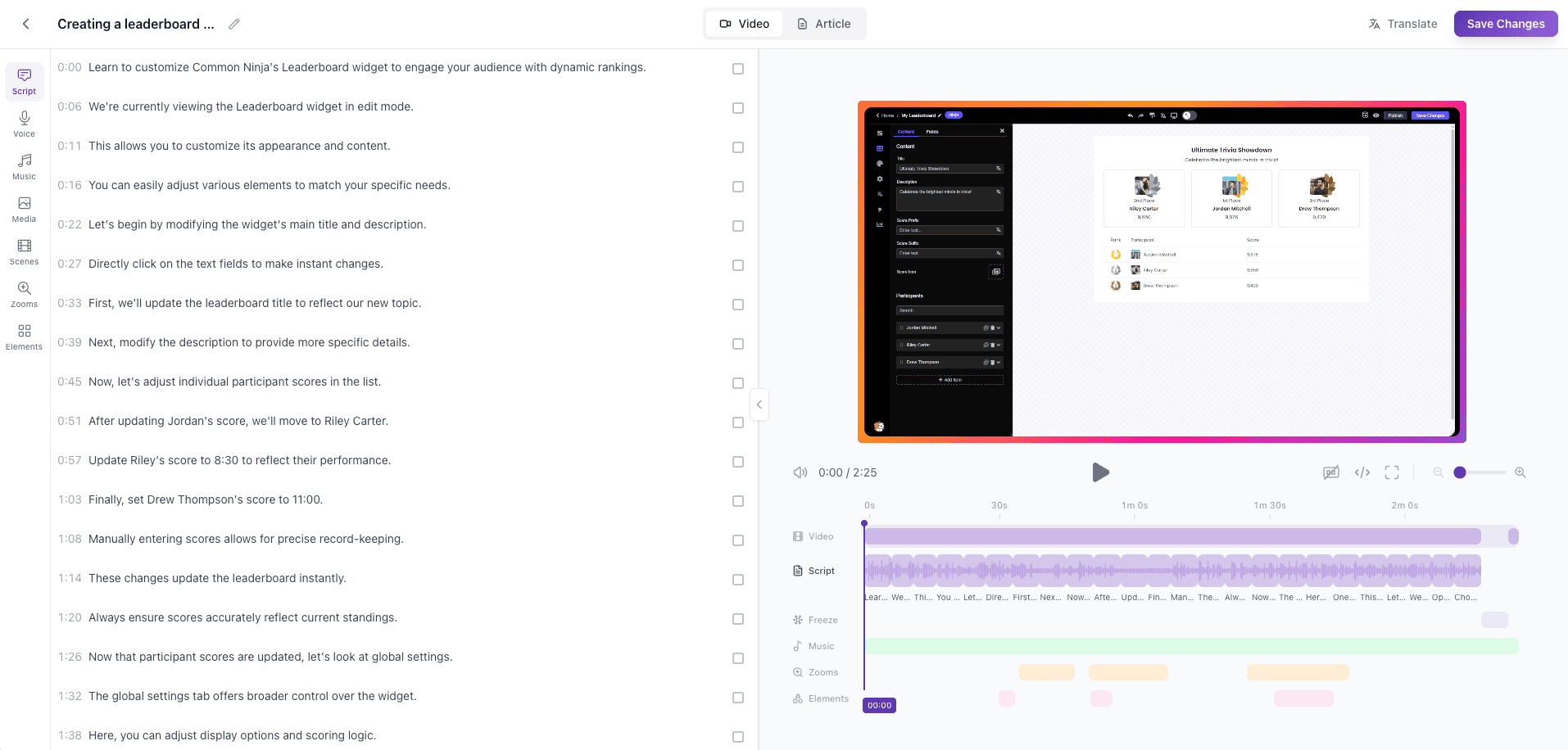
From webinar to documentation
See how Vidocu transforms your webinar recording into structured, searchable help articles.
Frequently asked questions
Any webinar recording works well, including Zoom recordings, Microsoft Teams meetings, Google Meet sessions, and other webinar platforms. Product demos, training sessions, Q&A recordings, and educational webinars all produce great documentation.
Vidocu's AI analyzes the full webinar and intelligently breaks it into logical sections. It identifies key topics, creates separate articles for different subjects covered, and links them together in a structured knowledge base format.
Yes! Vidocu can split a single webinar into multiple focused articles based on topics covered. A 60-minute webinar covering multiple features can become several targeted help articles, each optimized for search.
Vidocu generates articles in standard formats that you can copy and paste into your knowledge base platform—Zendesk, Intercom, Notion, Confluence, or any help center. Each article includes proper headings, steps, and screenshots.
Yes! Vidocu automatically captures screenshots at key moments during the webinar—when important slides appear, when features are demonstrated, or when key points are made. You can edit, add annotations, or replace screenshots in the editor.
Simply download your Zoom recording (cloud or local) and upload it to Vidocu. We accept common video formats including MP4, MOV, and WebM. The process is the same for recordings from other platforms.
Vidocu includes a built-in editor where you can refine the generated articles, adjust screenshots, reorganize sections, and customize the content before publishing to your knowledge base.
Yes! Vidocu offers a free tier to get started. Check our pricing page for details on all available plans and features.
Ready to unlock your webinar knowledge?
Try Vidocu for free and turn recordings into searchable docs.
Your knowledge is valuable. Make it usable.
Upload once. Use everywhere.
The AI Knowledge Platform. One upload becomes videos, SOPs, guides, articles, and training - in any language.
© 2026 Vidocu. All rights reserved.