
Digital work instructions are step-by-step job aids delivered on a screen instead of paper: visual, versioned, translated, and tied to a record of who was trained on which revision. They replace the laminated binder at the workstation, and the good ones cut the time it takes to bring a new operator to competency.
The category has two halves that buyers often conflate. One half is authoring: getting the instruction written, illustrated, translated, and kept current. The other half is execution: running that instruction on the shop floor, with tablets, machine data, work orders, and sign-offs. Almost every tool below is strong at the second half and assumes you have already solved the first.
That assumption is usually wrong, and it is why so many digital work instruction rollouts stall. Below are six tools worth looking at in 2026, what each one is genuinely for, and what each actually costs.
What "digital work instructions" actually means
A digital work instruction is not a PDF on a tablet. If you are evaluating tools, the working definition most vendors share includes:
- Structured steps, not prose paragraphs, so an operator can follow one action at a time
- Visual content at the step level: photos, annotated screenshots, short clips
- Version control, so there is exactly one current revision and a history of what changed
- Multi-language delivery, because the line rarely speaks one language
- A training and qualification record, so you can prove who was signed off on which revision
That last point is what separates a work instruction system from a document repository. If a tool cannot tell you who is currently qualified to run a station, it is a wiki with pictures.
Software fixes delivery, not content. If your current instructions are vague or written from memory, a new platform will only display them faster, so it is worth reading up on how to write work instructions before you migrate them.
How we compared these tools
Every price below was read first-hand from the vendor's own pricing page in September 2026, not carried over from another comparison article. Where a vendor does not publish prices, this guide says so rather than inventing a number, because most of this category sells through a quote.
One housekeeping note that other lists have not caught up with: SwipeGuide, a fixture of digital work instruction roundups for years, no longer exists as a standalone product. Both swipeguide.com and its pricing page now redirect to L2L, and L2L's own site does not market a SwipeGuide product. If a comparison you are reading still lists it as an independent option, that article has not been checked recently.
Quick comparison
| Tool | Best for | Authoring from existing content | Multi-language | Published pricing |
|---|---|---|---|---|
| Vidocu | Turning recordings and manuals into instructions fast | Video or document in, illustrated steps out | 65+ languages on every paid plan | Yes, $0 / $19 / $49 / $149 per month |
| VKS | Work-instruction-first shop floor deployment | Built in the editor | Yes | No, quote only |
| Dozuki | Connected worker programs with training built in | Built in the editor | Yes | No, form-gated |
| Tulip | Composable apps that mix instructions with machine data | Built in the app builder | Enterprise tier only | Yes, from $100 per interface per month |
| Azumuta | Modular quality, training, and instruction stack | Built in the editor | Yes | No, quote only |
| Operations1 | Large manufacturers standardizing across sites | Built in the editor | Yes | No, quote only |
1. Vidocu
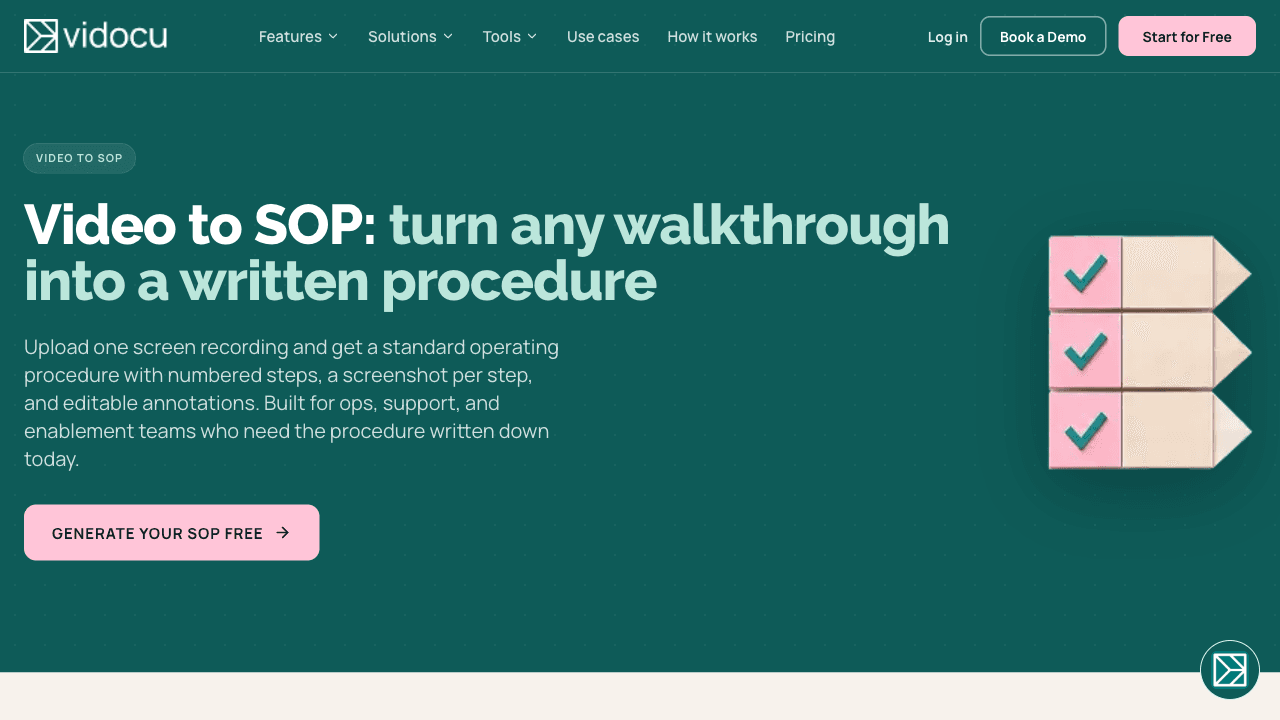
Vidocu attacks the half of the problem the rest of this list assumes away: producing the instruction in the first place.
You give it a screen recording, a walkthrough video, or an existing document, and it returns a structured step-by-step guide with screenshots captured per step, a written article, and a narrated video. From there it will translate the whole package into any of 65+ languages with AI voiceover, so a Spanish or Polish version of a station instruction is a re-render rather than a re-shoot. If you are starting from a pile of legacy PDFs or a folder of phone videos, this is the shortest path to a usable first revision. The video to SOP workflow and the broader video to documentation pipeline are the same engine pointed at different outputs.
The training side is more serious than the "AI video tool" label suggests. Vidocu's training modules carry a passing score, a required identity for the taker, an availability window, an optional trainer sign-off on top of passing, a mandatory flag the planner filters on, and a qualification validity period in days, after which the person reverts to unqualified and must retake the training. That last setting exists specifically for periodic re-training regimes such as ISO 13485. Content can be irreversibly locked so an approved revision cannot be quietly edited, and AI-generated quiz text is machine-marked for EU AI Act Article 50(2) disclosure.
Where it does not fit: Vidocu does not run your shop floor. There is no machine or sensor integration, no work-order routing, no MES or ERP connector, and no offline tablet mode for a station with no network. It also does not ship a SCORM package export or a certification engine, so if procurement requires SCORM interoperability with an existing LMS, Vidocu is not the system of record. Quizzes are the only module type shipped today; questionnaire and signature types are designed but not released.
Pricing: Free plan at $0 (200 credits, roughly 4 minutes of AI video, 1 export). Starter is $19/month with 400 credits and all 65+ languages. Pro is $49/month with 1,500 credits. Business is $149/month with 4,000 credits, a team workspace, and REST API access. Enterprise is custom.
Best for: teams whose bottleneck is producing and translating instructions, not executing them at the station.
Turn your existing recordings into work instructions
Upload a walkthrough or an old training video and get structured steps with screenshots, a written guide, and translations into 65+ languages.
Try Vidocu free2. VKS
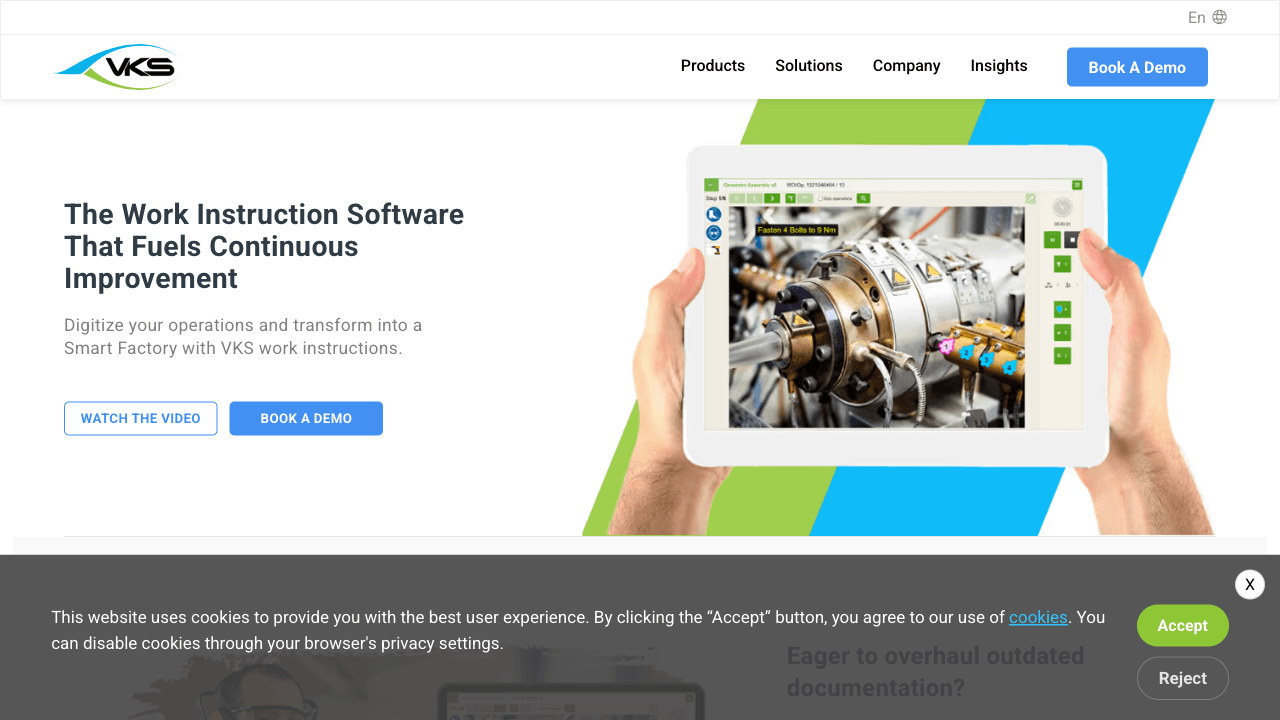
VKS (Visual Knowledge Share) is the most work-instruction-native tool on this list. It is not a general operations platform that grew an instructions module; instructions are the product, and everything else radiates outward from them.
The editor is built for shop-floor reality: steps with images, tooling and part callouts, forced acknowledgements, and data capture at the step. It connects to devices and systems for traceability, and it is sold in three tiers, VKS Lite, VKS Pro, and VKS Enterprise, so a single-line pilot and a multi-plant rollout are different products rather than different discounts.
Where it leads: if your requirement is genuinely "digitize our work instructions and run them at the station," VKS is the most direct answer here, and it will beat Vidocu comfortably on execution, traceability, and shop-floor hardware. Vidocu's lane sits upstream of that, in AI video documentation.
Pricing: not published. VKS offers a free trial and lists three product tiers, but no figures appear on the site; you go through a demo.
3. Dozuki
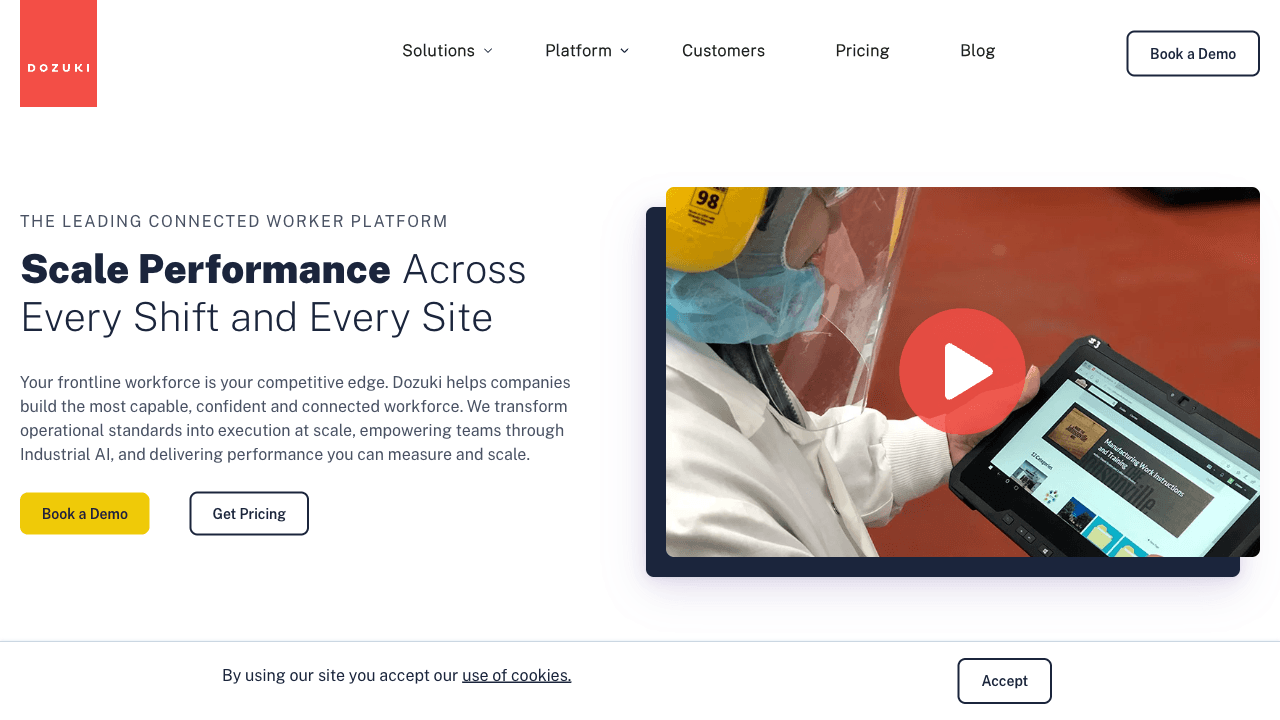
Dozuki positions itself as a connected worker platform rather than an instructions tool, uniting knowledge capture, a learning management layer, execution support, and worker collaboration. Its marketing leans on workforce outcomes such as time to competency and turnover rather than document counts, which tells you who it is sold to: operations leaders running a workforce program, not a documentation team.
If your problem statement includes continuous improvement, health and safety, field service, or maintenance alongside instructions, Dozuki is built for that breadth. Poka sits in a very similar lane, with the same connected-worker framing and the same quote-only commercial model, so evaluate the two together rather than treating them as different categories.
Pricing: not published. The pricing page is a lead form requiring name, work email, job title, phone, company size, and industry before anyone will quote you.
4. Tulip
Tulip is the odd one out, and usefully so. It is a composable app platform for operations, where a work instruction is one kind of app you build alongside quality checks, machine monitoring, and production dashboards. If your requirement stretches past instructions into "we want to build our own operations tooling without a software team," Tulip is the most flexible option here by a wide margin.
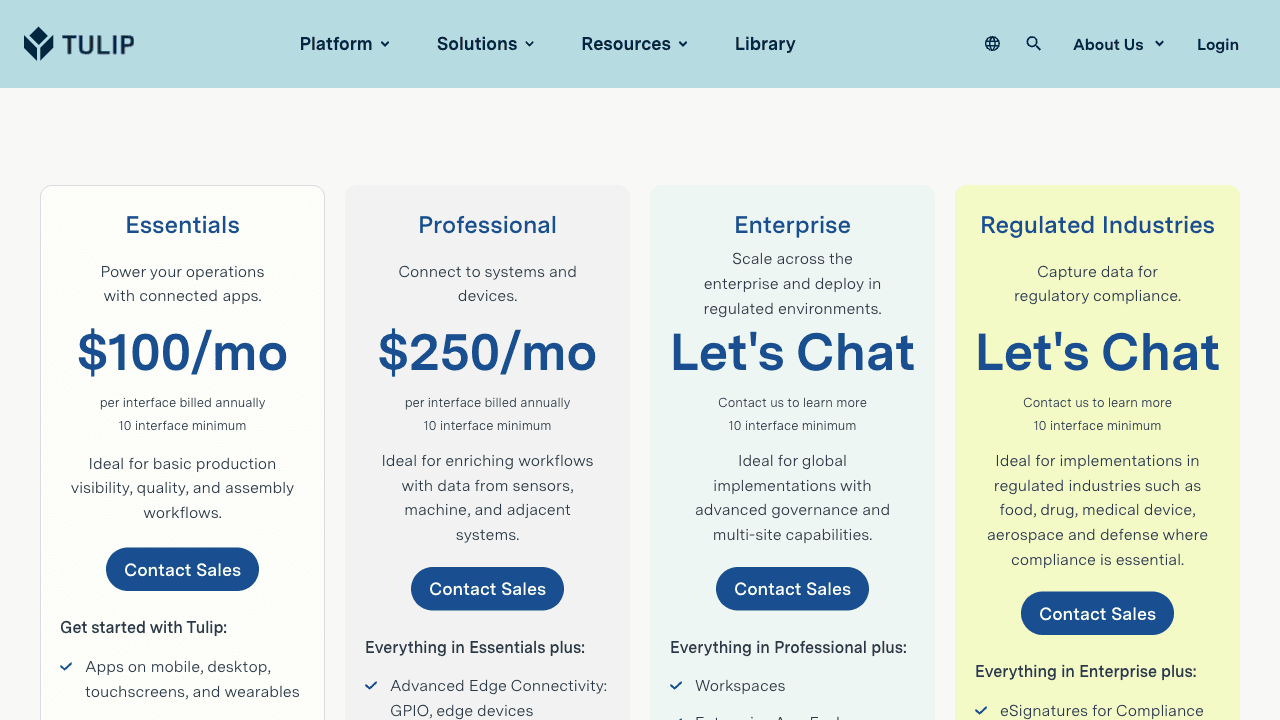
It is also the only vendor in this comparison that publishes real numbers, and they are worth reading carefully. Essentials is $100 per interface per month billed annually, Professional is $250, and both carry a 10 interface minimum. That minimum is the number that matters: the practical entry point is around $12,000 per year, not $100 per month. Enterprise and a separate Regulated Industries tier are quote-based, the latter adding 21 CFR Part 11 electronic signatures and auditable record history for pharma, medical device, and aerospace.
One thing to check before you commit: multilingual apps are listed as an Enterprise-tier capability. If you need instructions in more than one language, Tulip's entry tiers will not do it, which is a meaningful gap against every other tool here.
Pricing: Essentials $100 per interface/month billed annually, Professional $250 per interface/month, 10 interface minimum on every tier. Enterprise and Regulated Industries by quote.
5. Azumuta
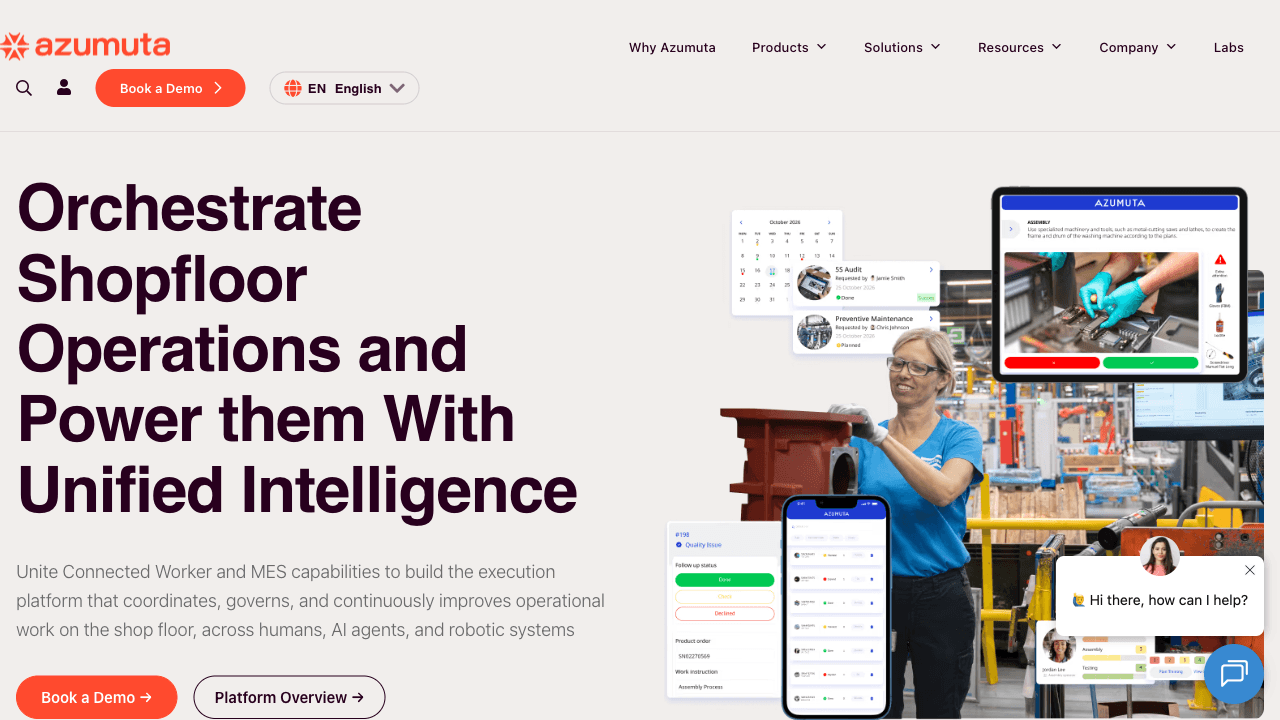
Azumuta is modular by design. Rather than one monolithic product, you assemble what you need from work instructions, quality assurance, a skill matrix and training layer, and audit tooling, paying for the modules you use. For a plant that wants instructions and a competency matrix but has no interest in a full connected-worker suite, that shape fits well.
It claims a deliberately operator-heavy footprint, citing more than 125,000 operators across its customer base, and it markets the absence of required hardware as a cost advantage over platforms that expect dedicated terminals.
Worth noting honestly: Azumuta's pricing FAQ describes a "transparent and cost-effective pricing model" and then directs you to contact sales for a personalized quote. There are no figures on the page. Transparent pricing and quote-only pricing are not the same thing, and buyers should read that claim accordingly.
Pricing: not published, quote only. Plans are month-to-month or annual, with no perpetual license option.
6. Operations1
Operations1 targets the top of the market openly. Its own pricing page states the software is "ideal for manufacturing companies with 500 or more employees," which is unusually direct and saves smaller buyers a wasted demo.
The feature list is deep on the things large multi-site manufacturers care about: modular documents, drag-and-drop authoring, offline work, order and task management, qualification management, multilingualism, single sign-on, API access, connectors, and analytics. Notably, both published tiers, Professional and Enterprise, list the same feature set, with the difference framed around scale and multi-site deployment rather than capability gating.
Pricing: not published. Two tiers, Professional and Enterprise, both quote-based, with no per-package user cap.
Stop rewriting the same instruction in five languages
Record the process once. Vidocu generates the step-by-step guide, the narrated video, and translated versions in 65+ languages from the same source.
See how it worksWhat digital work instructions software costs in 2026
This is a quote-driven category. Of the six tools here, exactly two publish prices, which makes budgeting hard and makes the published numbers worth studying.
| Tool | Entry price | Notable commercial detail |
|---|---|---|
| Vidocu | $0 free plan, $19/mo Starter | All 65+ languages included from $19; Business $149/mo adds team workspace and API |
| Tulip | $100 per interface/mo billed annually | 10 interface minimum, so roughly $12,000/yr in practice; multilingual is Enterprise-only |
| VKS | Not published | Free trial available; three tiers (Lite, Pro, Enterprise) |
| Dozuki | Not published | Pricing page is a lead form requiring company size and industry |
| Azumuta | Not published | Modular, pay per module; month-to-month or annual, no perpetual license |
| Operations1 | Not published | Explicitly aimed at manufacturers with 500+ employees |
Two things to take from this table.
Read the minimums, not the sticker price. Tulip's $100 looks like the cheapest paid entry in the category until you apply the 10-interface floor, at which point it is the most expensive. Per-seat and per-interface pricing behave very differently at scale, and the headline number rarely survives contact with the minimum.
Quote-only is not automatically expensive, but it is automatically slow. Four of these six require a demo, a discovery call, and a proposal before you see a number. If you are trying to pilot something this quarter, that timeline is part of the cost.
How to choose
Sort by which half of the problem is actually blocking you.
If the bottleneck is producing and translating content, and you already have recordings, manuals, or tribal knowledge trapped in people's heads, start with Vidocu. Authoring speed and translation are its lane, and it is the only tool here you can start using today without talking to anyone.
If the bottleneck is execution at the station, choose VKS for instruction-first depth, Dozuki or Poka for a broader connected-worker program, or Tulip if you want to build custom operations apps rather than configure a product.
If you are a large multi-site manufacturer, Operations1 has designed itself around you and says so. If you want to buy only the modules you need, Azumuta's shape fits.
If procurement requires SCORM or formal certification, none of Vidocu's strengths will save it, and you should be evaluating a full LMS alongside whichever of these you pick.
A practical pattern worth considering: use Vidocu to generate and translate the instruction content, then publish it into whichever execution platform your floor already runs. The two halves of this category are not mutually exclusive, and the authoring problem is the one that keeps coming back every time the process changes. If you are earlier in the process and still deciding what to write, the difference between an SOP, a work instruction, and a process doc is worth settling first, and our guide to writing step-by-step instructions people actually follow covers the craft. For office and back-office processes rather than the factory floor, SOP software and process documentation software are the closer categories, and teams building out onboarding curricula should look at training video software and our training use case.
FAQ
What are digital work instructions?
Digital work instructions are step-by-step job aids delivered on a screen rather than paper. They break a task into discrete steps, attach visual content to each step, maintain a single current revision with change history, deliver in multiple languages, and record who has been trained and qualified on which version. The training record is the part that distinguishes them from a PDF library.
How much does digital work instruction software cost?
Most of the category does not publish prices. Of the six tools here, only Vidocu and Tulip do. Vidocu runs $0 free, $19/month Starter, $49/month Pro, and $149/month Business. Tulip is $100 per interface per month billed annually with a 10-interface minimum, so about $12,000 per year in practice. VKS, Dozuki, Azumuta, and Operations1 are all quote-only, and Operations1 states it is aimed at manufacturers with 500 or more employees.
What happened to SwipeGuide?
SwipeGuide is no longer available as a standalone product. Both swipeguide.com and its pricing page now redirect to L2L, and L2L markets a connected manufacturing operations platform without a separate SwipeGuide offering. Many comparison articles still list it as an independent vendor, which is a reliable sign the article has not been updated recently.
Can I convert existing PDF manuals into digital work instructions?
Yes, and this is usually the fastest way to start, because the content already exists and only needs restructuring. Vidocu can take an existing document or a recording of the process and produce structured steps with screenshots, a written guide, and a narrated video, then translate the whole set. Turning a user manual into video covers that workflow specifically.
Do these tools handle training records and re-certification?
Most do, in different depths. Vidocu's training modules support a passing score, trainer sign-off in addition to passing, a mandatory flag, and a qualification validity period in days, after which someone reverts to unqualified and must retake the training, which is designed for periodic re-training regimes like ISO 13485. Dozuki, Azumuta, and Operations1 all include qualification or skill-matrix management as part of broader platforms. Note that Vidocu does not ship a SCORM export or a certification engine, so if you need SCORM interoperability you will want a dedicated LMS alongside it.
Ready to see how fast the authoring half can go? Try Vidocu for free and turn one recording into a step-by-step guide, a narrated video, and translations in a single pass.

Written by
Daniel SternlichtDaniel Sternlicht is a tech entrepreneur and product builder focused on creating scalable web products. He is the Founder & CEO of Common Ninja, home to Widgets+, Embeddable, Brackets, and Vidocu - products that help businesses engage users, collect data, and build interactive web experiences across platforms.