
Create
Voice & language
Publish & train
One upload
See how it works
One recording becomes a video, an article and a translated guide.
Edit video
Subtitles & audio
Convert to video
Write from video
A silent screen recording in. A finished tutorial out.
A 34-second recording of submitting an expense in Tallyfox, with no voice and no edits. Vidocu wrote the narration, added zooms and captions, and branded it.

What went in
34-second recording, no audio
Recording: submit an expense
What Vidocu made
Narrated, zoomed and branded.
Tallyfox is a made-up company we use for demos. The input and the output are real: this is exactly what went into Vidocu and what came out.
The process
What Vidocu did
- 01
Watched the recording
Every click, screen and field, and what the user was trying to do.
- 02
Wrote the narration
A short, friendly script timed to what's on screen.
- 03
Voiced it
A natural AI voice, in sync with each click.
- 04
Zoomed in where it matters
Zooms on the clicks that matter, so viewers can read the screen.
- 05
Branded it
The Tallyfox intro, outro and music from the Brand Kit.
FAQ
Questions about this example
Do I need to talk while I record?
No. Record in silence and Vidocu writes and voices the narration. If you did talk, you can keep your own voice and Vidocu cleans up the pauses and filler words.
Can I fix a line the AI got wrong?
Yes. Edit the script line in the editor and regenerate just that line.
What else do I get from the same recording?
A step-by-step help article with screenshots, subtitles and translations into 70+ languages.
More examples
All examples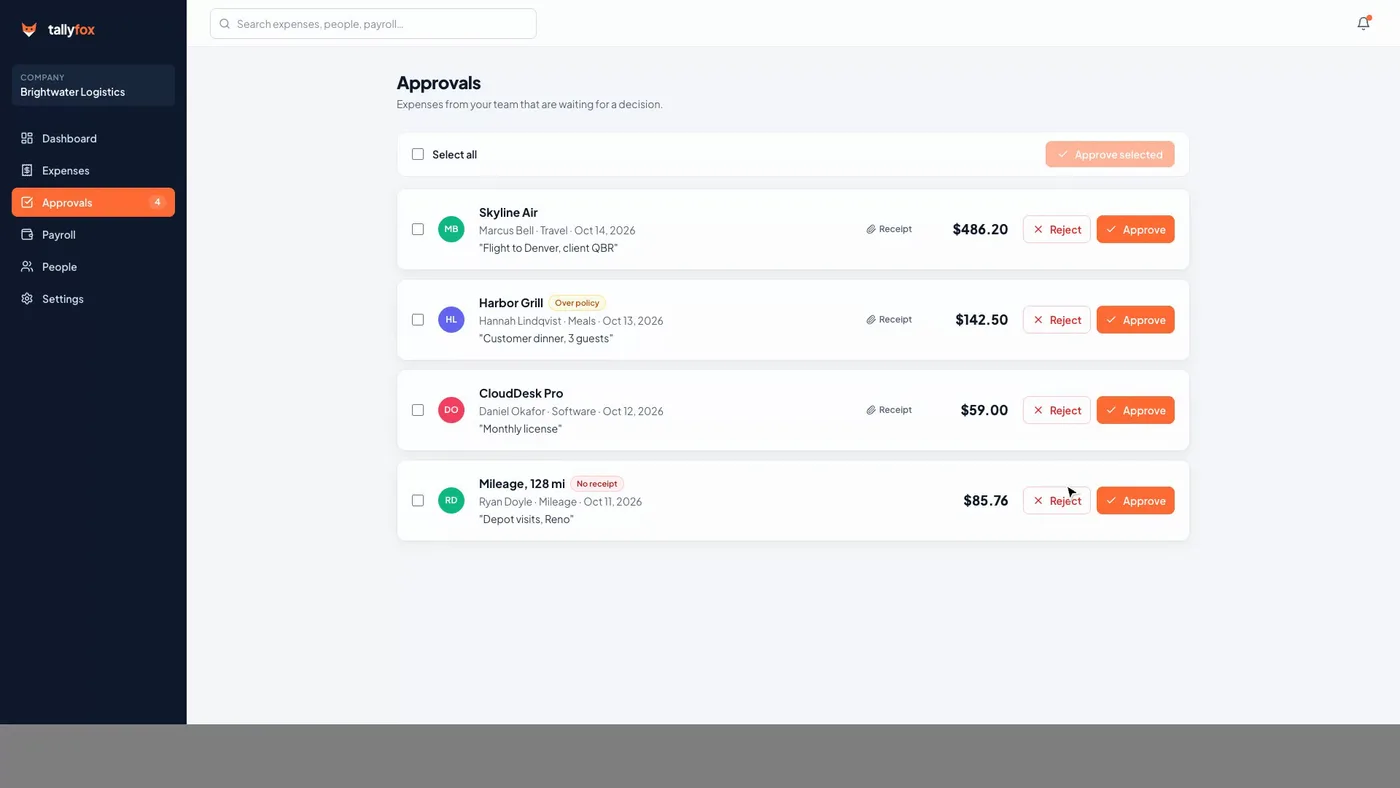 In
 Out
AI Articles
Screen recording → Help article
35-second recording → step-by-step article
See the example Out
AI Recorder
One prompt → Video + article
A written prompt → recorded, narrated tutorial
See the example In
 Out
Video Translation
English video → Translated video
English video → Polish voice, captions and text
See the exampleYour files. The same result.
Upload a document, a recording or a script and see what Vidocu makes from it.
Your knowledge is valuable. Make it usable.
Upload once. Use everywhere.
The AI Knowledge Platform. One upload becomes videos, SOPs, guides, articles, and training - in any language.
© 2026 Vidocu. All rights reserved.